Keys
The Keys page is dedicated to managing Security Keys (API Keys) within a selected account. These keys are fundamental for authenticating API requests and are used to encrypt and decrypt agent versions, ensuring secure handling of your agent configurations.
Overview
The page provides functionalities to:
- Add new Security Keys for a selected account.
- List all existing keys, showing their status and scope.
- Edit the properties of existing keys.
- Revoke keys, permanently disabling them.
Important Note on Credentials: When a new key is created, you are assigned a unique Key ID and a Key Secret. The Key Secret is displayed only ONCE upon creation. It is crucial that you copy and store this secret in a secure location immediately. You will not be able to retrieve it again.
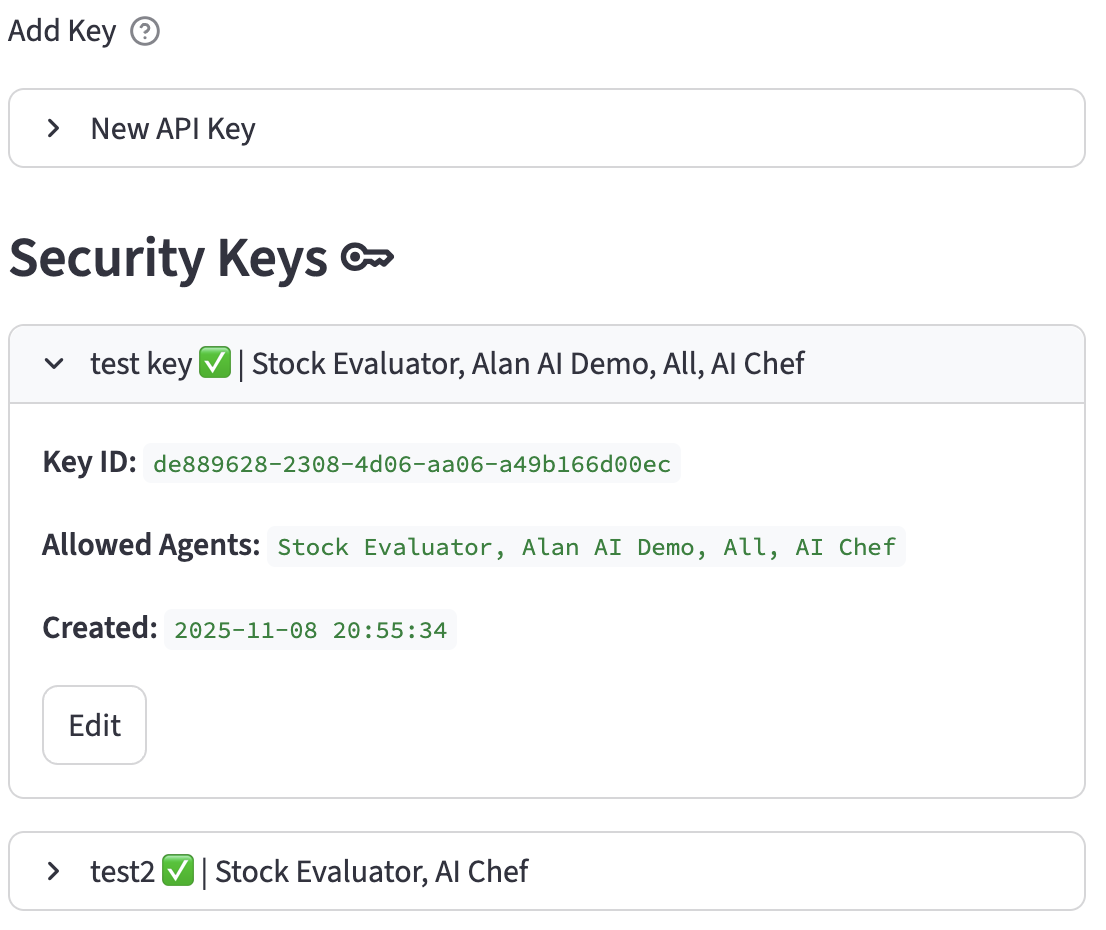
Adding a New Key
To add a new Security Key:
- Navigate to the Keys page.
- Ensure an account is selected. You cannot create a key without a selected account.
- Expand the "New API Key" section to reveal the form.
- Fill in the following fields:
- Key Name: (Text Input) A unique, descriptive name for the key within the account. This field is required.
- Active: (Toggle) If enabled, the key will be active and available for use in operations like encrypting new agent versions. Default is
On. - Allowed Agent(s): (Multiselect) Specify which agents are permitted to use this key. Select "All" for the key will be available for All Agents within the account.
- Expiry Date (optional): You can set an optional expiration date for you agent at the time of creation, or edit this field to expire agents after a certain date in the future.
- Click the "Create Key" button.
- A new Key ID and Key Secret will be generated and displayed. Copy these credentials immediately. You must click "Acknowledge and Close" to dismiss the credentials display and continue.
Listing Keys
Existing keys for the currently selected account are listed under the "Security Keys" subheader.
- Filtering: The list is automatically filtered to show keys for the selected account.
- Display: Each key is presented in an expandable section, showing its name, status icon (:white_check_mark: for active and not revoked, :x: otherwise), and its allowed agents. A "(Revoked)" label appears if the key has been revoked.
- Details: Expanding a key's section reveals:
- Key ID: The unique identifier for the key.
- Allowed Agents: The list of agents that can use this key.
- Created: The timestamp when the key was created.
- Revoked: The timestamp when the key was revoked (if applicable).
- Each active key entry has an "Edit" button.
Editing a Key
To edit an existing key's properties:
- Click the "Edit" button next to the desired key in the list.
- The "Edit Key" form will appear, pre-filled with the key's current information.
- The following fields are available for modification:
- Active: (Toggle) You can deactivate a key to temporarily prevent its use without revoking it permanently.
- Allowed Agent(s): (Multiselect) You can change the list of agents that are allowed to use this key.
- Expiry Date (optional): You can edit this field to expire agents that use this key after a certain date in the future.
- The Key Name and Key ID are displayed but cannot be changed.
- Click "Save Changes" to update the key or "Cancel" to discard the changes.
Revoking a Key
Revoking a key is a permanent, irreversible action. A revoked key can no longer be used for authentication or for decrypting any data, such as agent versions, that were encrypted with it. Revoking a key will disable the .aia files using the key for encryption.
- In the "Edit Key" form, a checkbox is available:
- Revoke this key: (Checkbox) Check this box to permanently revoke the key.
- A warning will emphasize that this action cannot be undone.
- Once a key is revoked, its status icon will change to :x:, the "(Revoked)" label will appear, and it can no longer be edited or used. The time of revocation will be recorded and displayed in its details.